Essential BigQuery Data Transfer Tables for Google Ads Analysis
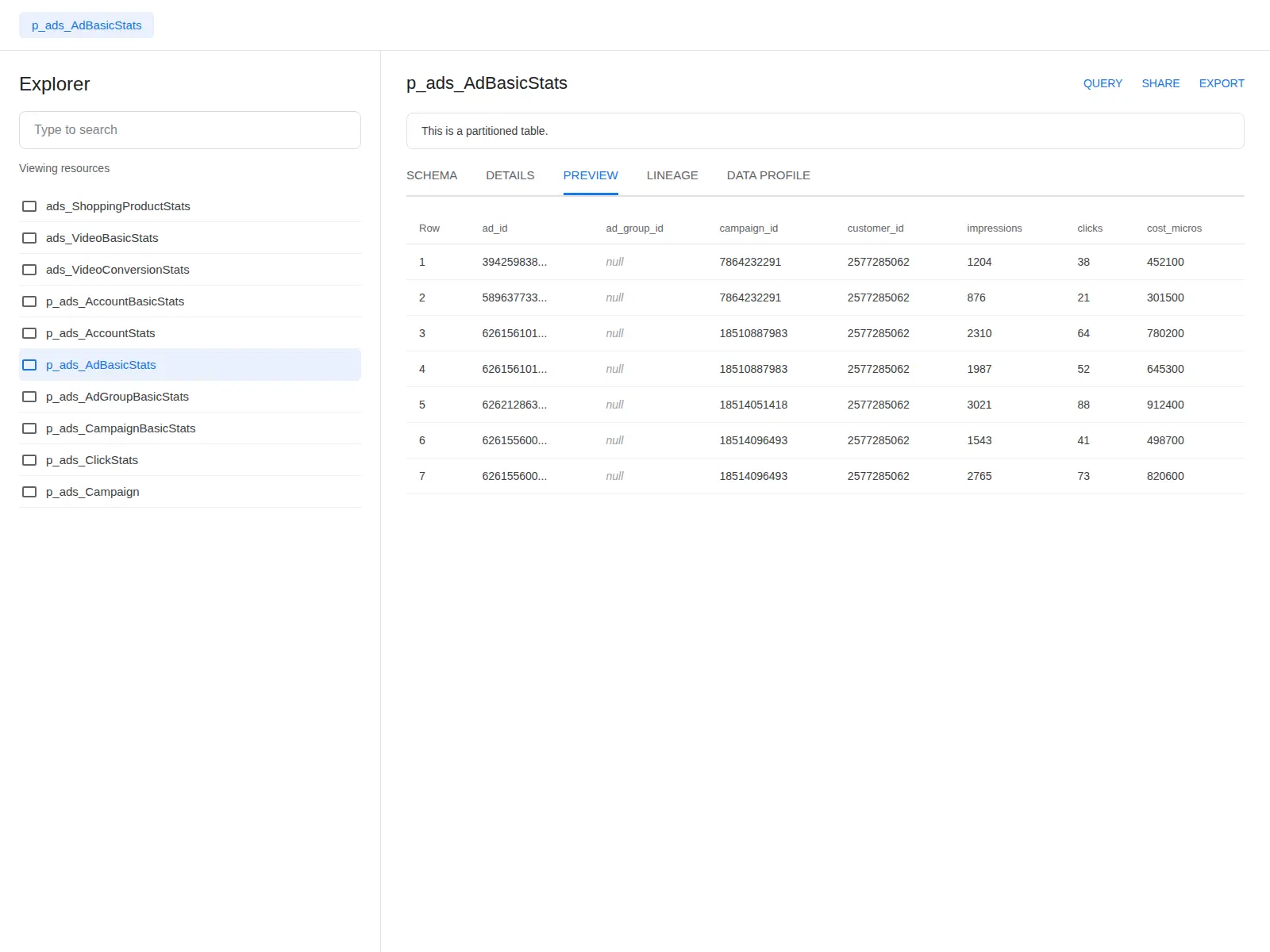
The BigQuery Data Transfer service is a powerful tool for marketers, but its default configuration can be overwhelming. It creates approximately 120 tables and views, which often obscures the data you actually need for analysis.
While you can customize your transfer to exclude specific tables, we recommend ingesting everything to ensure you have a complete historical record. However, you don’t need to manually navigate all 120 tables. You can derive most actionable insights by focusing on just 7 key tables.
Core Statistics Tables for Granular Performance Reporting
These tables contain the essential performance metrics (impressions, clicks, conversions, and costs) broken down by date and network type. Using SQL, you can combine these to achieve granular ad-level reporting.
- ads_AdBasicStats_<customerid>: Metrics at the ad level.
- ads_AdGroupBasicStats_<customerid>: Metrics aggregated at the ad group level.
- ads_CampaignBasicStats_<customerid>: Metrics aggregated at the campaign level.
Expert Tip: If you are running PMax campaigns, these tables provide the necessary bridge to view performance across the full hierarchy.
Leveraging Reference Tables for Historical Campaign Tracking
Data is only useful when it’s contextualized. These tables hold the configuration details and names for your Google Ads hierarchy. They are crucial for maintaining a historical record, particularly when campaign or ad group names change over time.
- ads_Ad_<customerid>
- ads_AdGroup_<customerid>
- ads_Campaign_<customerid>
Unlocking Advanced Attribution with the ClickStats Table
- ads_ClickStats_<customerid>
This table acts as a transactional log, holding every click ID (gclid) generated by your campaigns. It is a powerful tool for data enrichment, allowing you to bypass the limitations of standard traffic source columns in GA4 and build more accurate, custom attribution models.
Although BigQuery Data Transfer creates a large number of tables, you don’t need to use all of them to build meaningful Google Ads reports. By focusing on these seven essential tables, you can cover the majority of performance analysis, historical reporting, and attribution use cases while keeping your queries efficient and easier to maintain.
If you want to get even more value from your Google Ads data without the complexity of managing BigQuery yourself, Loupe Digital can help. Our team specialises in building scalable data pipelines, custom reporting solutions, and advanced marketing analytics that turn raw data into actionable insights, so you can spend less time wrestling with datasets and more time optimising campaign performance.